Working with solutions is essential for customizing apps, automations, and data models in Power Platform. Solutions help you organize, migrate, and control your work, whether you’re a junior just starting out, or an experienced user managing complex environments.
What Is a Solution?
A solution is a container that bundles components such as apps, flows, tables, and security roles. This makes it easy to transfer and update functionality across different environments like development, test, and production.
Why Use Solutions?
- Move entire sets of functionalities, including dependencies, avoiding ‘missing piece’ errors during migration.
- Facilitate teamwork: colleagues collaborate on the same solution, track changes, and avoid accidental overwrites.
- Support best practices for Application Lifecycle Management (ALM), ensuring professional, reliable upgrades and rollouts.
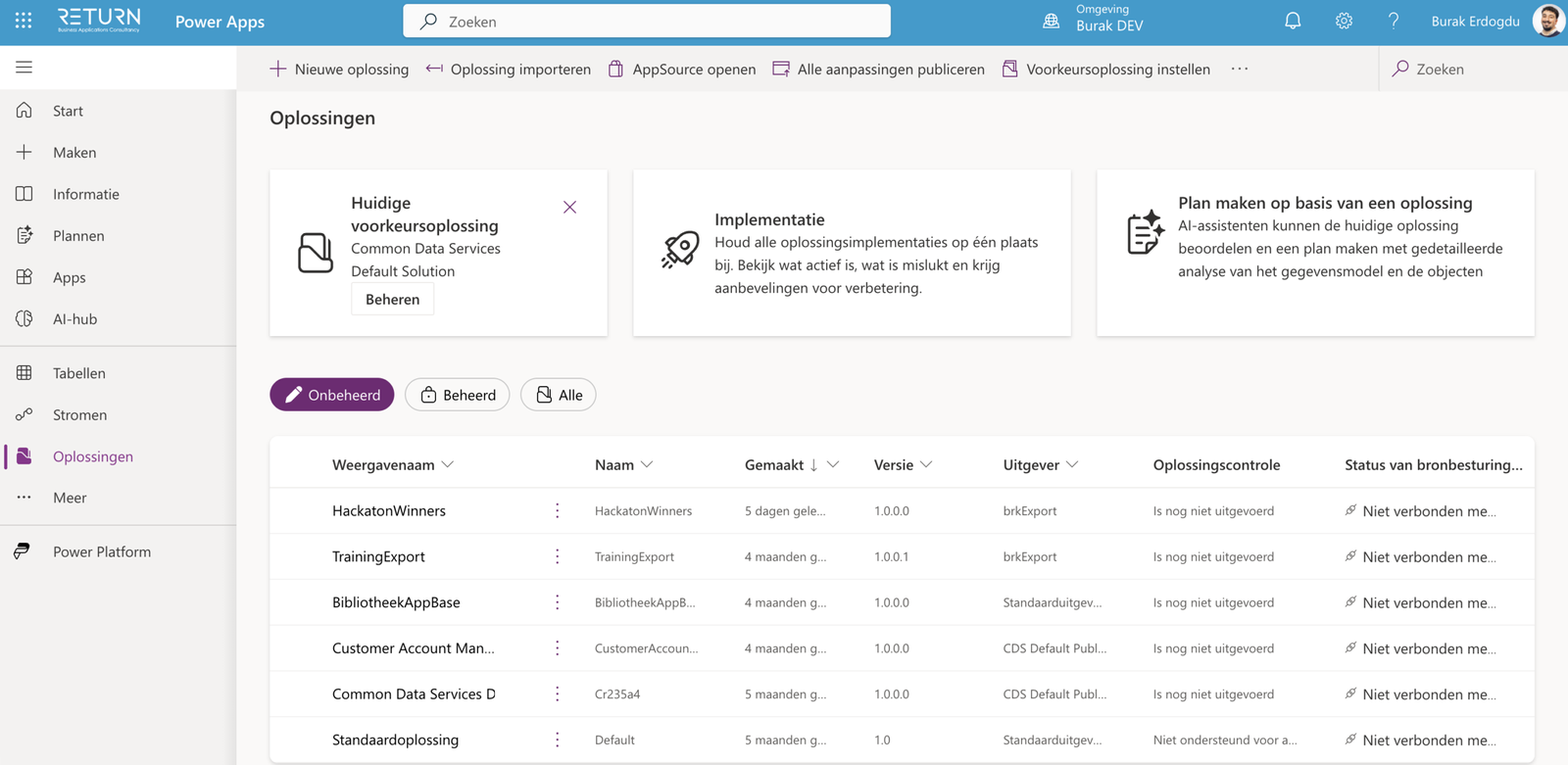
Managed vs. Unmanaged Solutions
| Type | Use Case | Features |
| Unmanaged Solution | Development, prototyping | Editable, add/remove components |
| Managed Solution | Production, deployment | Components are locked, controlled |
How to Set Up and Use Solutions, Step-by-Step
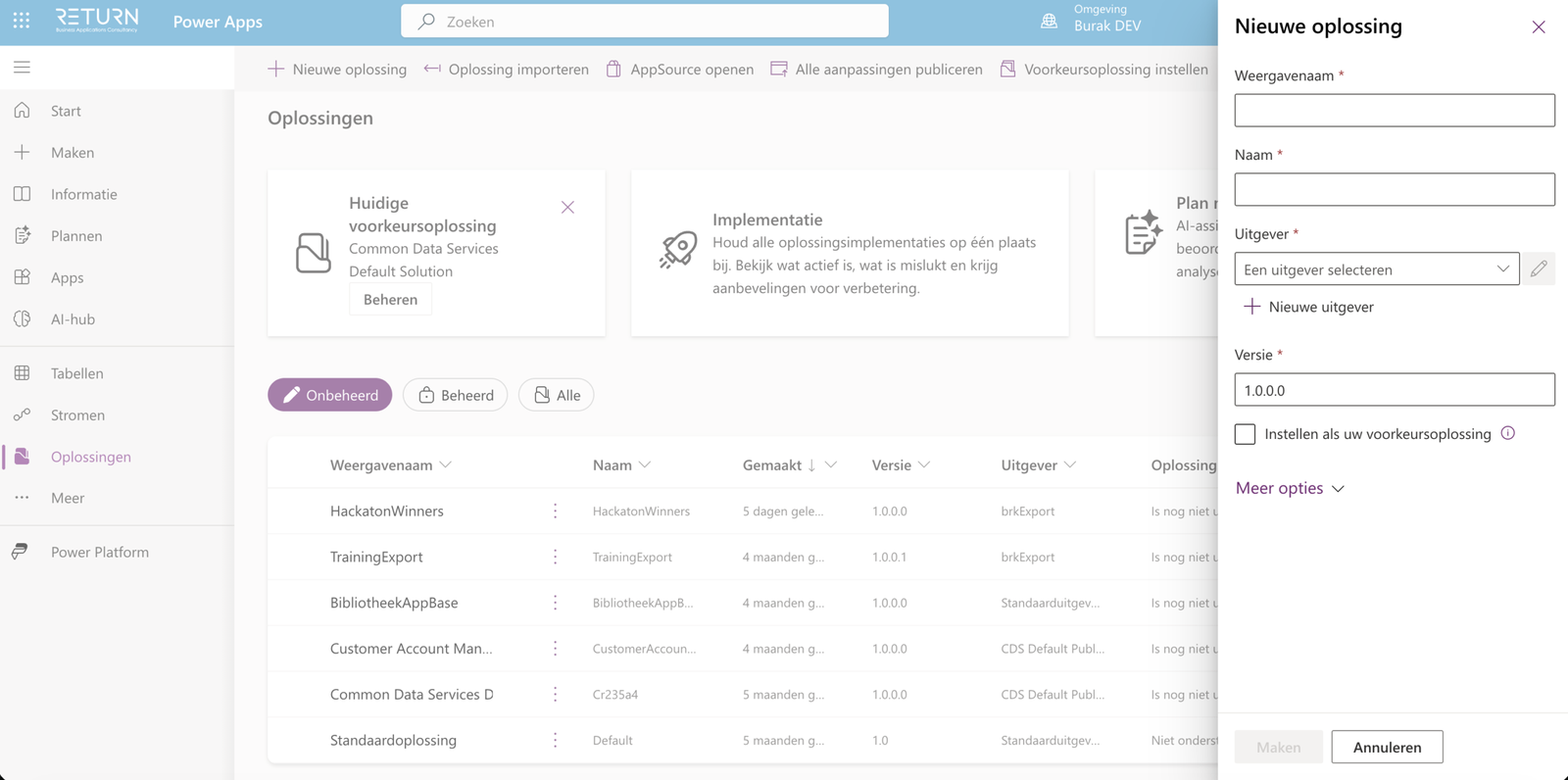
- In Power Apps, open Solutions from the navigation panel.
- Click New solution and fill in a clear, descriptive name, publisher, version, and (optional) description.
- Add components : apps, flows, tables, roles, etc. Use “Add Existing” to bring in items or “New” to build directly inside the solution.
- Save and document your solution.
- To migrate: export (preferably as managed) from development, then import into test or production environments.
Common Mistakes and Best Practices
- Don’t forget dependencies: Add related tables, flows, and connectors or your import may fail.
- Component linking: After import, check that flows and data sources are connected.
- Naming: Use clear names and version numbers for all solutions.
- Avoid editing managed solutions: Never change managed solutions in production, always update in development and re-import after testing.
Extra Tip: Use Version Control and Documentation to Keep Your Solutions on Track
When working with solutions, it’s important to keep everything well documented. Version control lets you easily roll back to previous versions if something doesn’t work as expected. Make clear notes about what changes you’ve made, which components you’ve added or updated, and any issues you’ve fixed. This keeps everything organized and efficient, especially when you’re working in a team or managing multiple environments. You can use tools like Azure DevOps, or even a simple changelog file, to keep track of your changes and share them with your team. This way, you avoid confusion and keep complete visibility over your projects and development.
With these steps and practices, anyone can start managing solutions professionally in Power Platform. Whether you’re deploying a small app or a full business process, solutions are the backbone of reliable, scalable Power Platform applications.